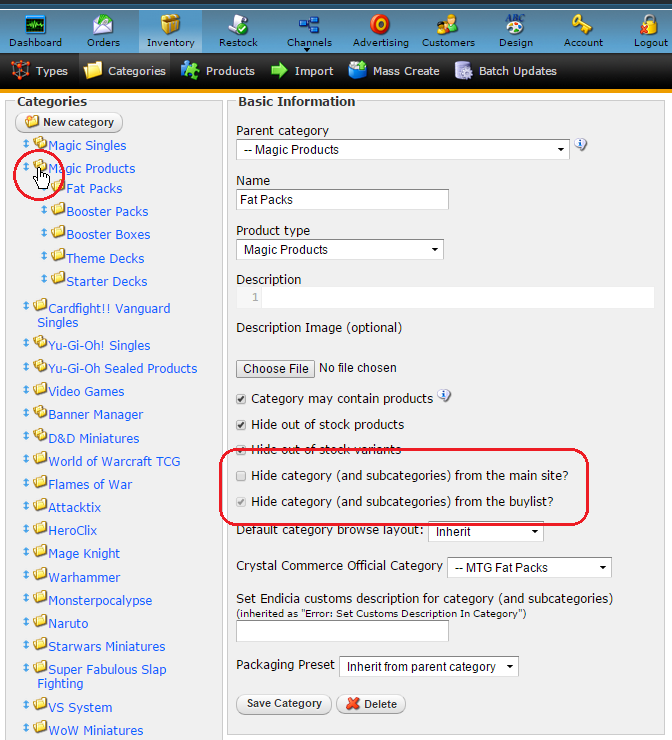
Hiding categories from your front end website to avoid customers from seeing or buying from those categories can be achieved in four steps.
To hide a category from your website:
In the Admin, Navigate to Inventory > Categories
Click on the blue name link for the category that you wish to hide. If you wish to hide a child category, you may need to expand a parent category by clicking on the double folder icon (pictured).
Check the box for "Hide category..."
Click "Save Category."
Notes: Hidden category status is inherited by all child categories. Any categories within a hidden category will also be hidden.